
On-Model
Jewelry Photography
Upload a photo of your piece. Photta places it on a model, on the hand, neck, ear or wrist, against the background you choose, so shoppers see it being worn.
 Continue with a sample product
Use a clear, well-lit photo of your jewelry on a clean background. Sharp detail on the stone, metal, and clasp helps the AI place the piece accurately on the model’s hand, neck, or ear.
 Continue with a sample product
Use a clear, well-lit photo of your jewelry on a clean background. Sharp detail on the stone, metal, and clasp helps the AI place the piece accurately on the model’s hand, neck, or ear.
What is on-model jewelry photography?
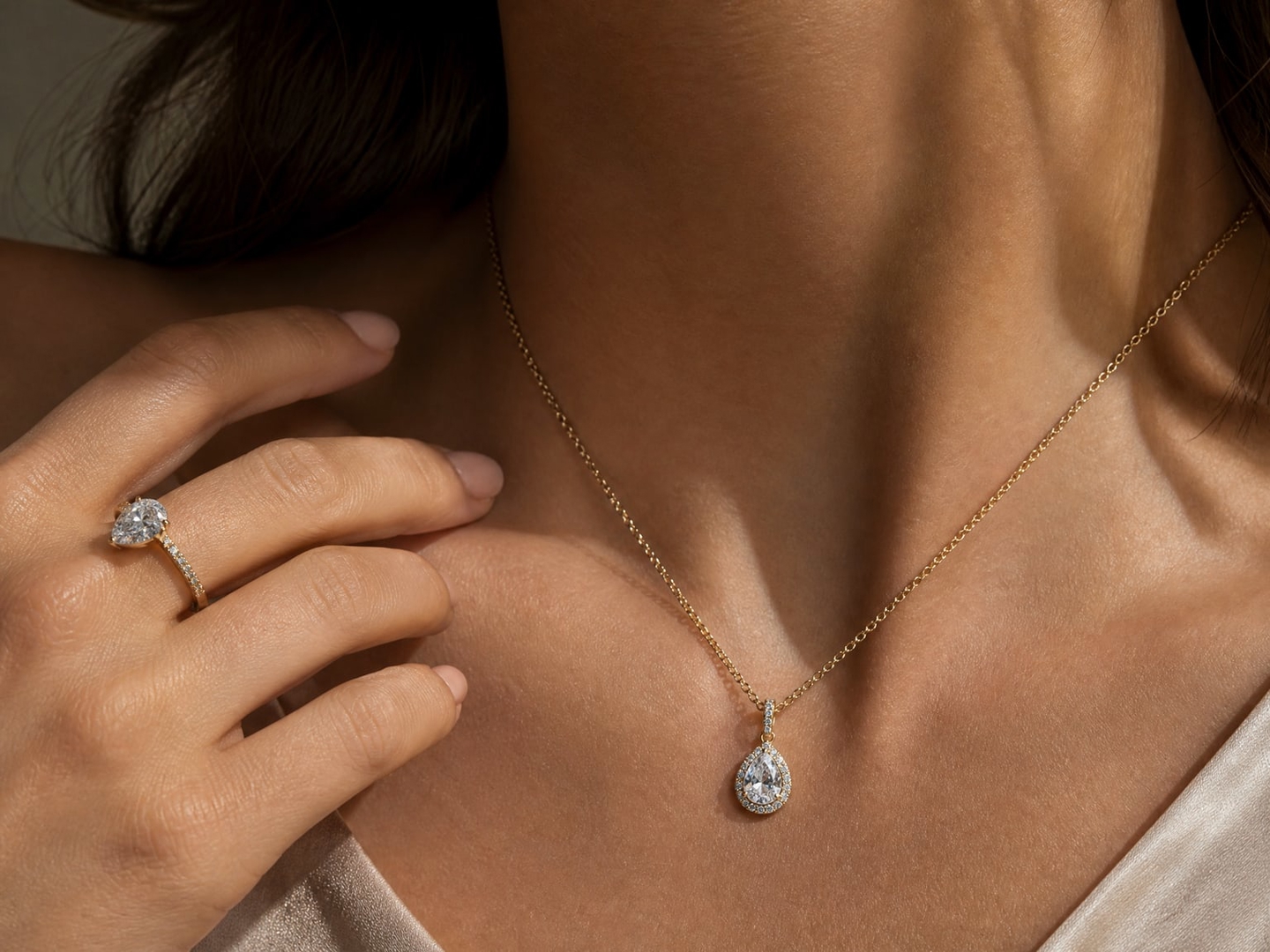
On-model jewelry photography shows a piece being worn: a ring on a hand, a necklace on a neckline, earrings on an ear, a bracelet on a wrist. With Photta, jewelry sellers make these photos from one photo of the piece, without booking a model or a studio. Most stores show them next to a plain product shot.
Start creating on-model jewelry photos today
How AI on-model jewelry photos are made

Upload one sharp photo
Choose ring, necklace, earrings or bracelet and upload a daylight photo of one piece, straight on and filling the frame. Busy backgrounds, cropped pieces and spotlights make it harder.

Choose the model, placement and background
Pick a catalogue model, make one in Model Maker or upload your own adult model. Paint over the spot or let the studio place the piece, then choose a colour, a described scene or your own background photo.

Generate and check
Choose one to four photos; the price per photo is shown first. Write the real size of the piece in the note, and check the stones and the scale in the result.
Watch it in action
The product shot shows the piece. The on-model shot shows it worn.
What on-model jewelry photos add
Explore all virtual try-on tools
Worn, not only shown
Next to your product shot, an on-model photo shows how the piece sits on a hand, a neckline, an ear or a wrist.
Get Started Free
Placement you control
Paint over the exact spot on the model, or let the studio place it: a ring on the ring finger, a necklace around the neck.
Try It Now
Backgrounds for each use
A plain colour for a catalogue, a described scene for a lifestyle shot, or a photo of your own background.
Explore Features
Studio, freelancer or AI: ways to get on-model jewelry photos
What each way is good for, and where it falls short.
A studio with a model and a photographer
A jewelry studio, or a photographer's own studio
- Good for
- Hero images for a collection, where you art-direct the model and the light.
- Watch out
- The highest price per photo. Rings and earrings are small, so close-up work and retouching take time.
A freelancer or a friend with a camera
A freelance photographer, a model you know
- Good for
- A handful of pieces and a natural, informal look.
- Watch out
- Results depend on the person, and small stones are hard to shoot well without a macro lens.
- Good for
- Showing every piece in the catalogue worn, in the same style. A 2K photo costs about $0.29 on the Seller plan ($29 a month).
- Watch out
- It is not a measurement: write the real size of the piece in the note and check the scale in the result.
Kinds of service, in general terms. Prices vary by photographer and country.
More for jewelry sellers
Related pages for models, editing and prices.
Use Cases
Where on-model jewelry photos are used
The second photo of a listing, and everything after it.

Product pages
An on-model photo next to the product shot on your own store.

Marketplace listings
On-model photos for Etsy, Shopify and Amazon listings.

Social posts
A piece worn in a described scene, for a post or a story.

Launches and ads
A new piece on a model with a backdrop that fits the campaign.

Catalogues
Every piece on the same model and background, for a consistent catalogue.

Custom pieces
A one-off ring or pendant shown worn, from your own photo of it.
On-model jewelry photography questions
Everything about on-model jewelry photography with AI.
Still have questions?
Contact SupportYour next shoot starts here.
Upload your product. Start creating photos, videos and ads that feel like your brand.
- 20 free credits
- No credit card required
- Cancel anytime


