
AI Ghost Mannequin
Free
Upload a photo of each garment and get it back worn by an invisible body, in 3D or as a flat lay. Add the back, the inside and the shape it should keep when you have them.
Upload clear photos of clothing on mannequin, hanger, or flat-lay. Best results with well-lit images showing the full garment. Our AI will remove the mannequin and create a professional floating garment effect.
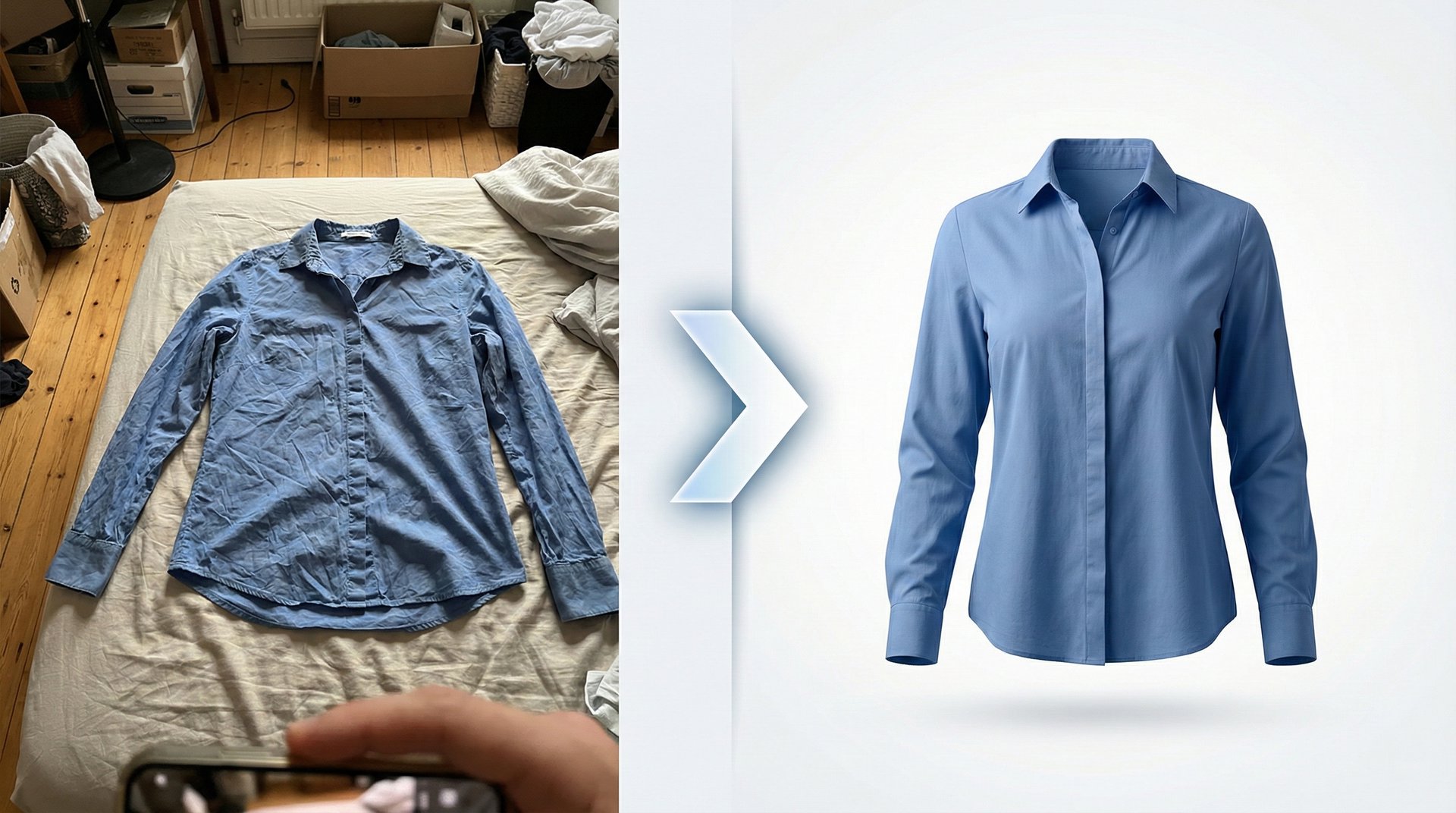
Upload clear photos of clothing on mannequin, hanger, or flat-lay. Best results with well-lit images showing the full garment. Our AI will remove the mannequin and create a professional floating garment effect.
Create professional ghost mannequin photos for free with AI
How to make a ghost mannequin photo with AI Effect in 3 Steps

Upload your garments
Add one clear photo of each garment on a plain background, on a mannequin, on a hanger or laid flat. You can add a photo of its back, a photo of its inside and the shape it should keep.

Choose the style and the view
Pick 3D ghost, worn by an invisible body, or a flat lay. Then choose the angle (front, side or back), the background colour and the aspect ratio. Add your brand label and it is placed inside the collar.

Generate and download
Each garment takes 4 credits at 2K or 5 at 4K, and the total is shown before you start. Your plan sets how many garments you send at once: 1 on Hobby, 2 on Seller, 5 on Brand and 10 on Studio.
The photos and choices that decide how the garment looks without a body.
What goes into a ghost mannequin photo
Explore all virtual try-on tools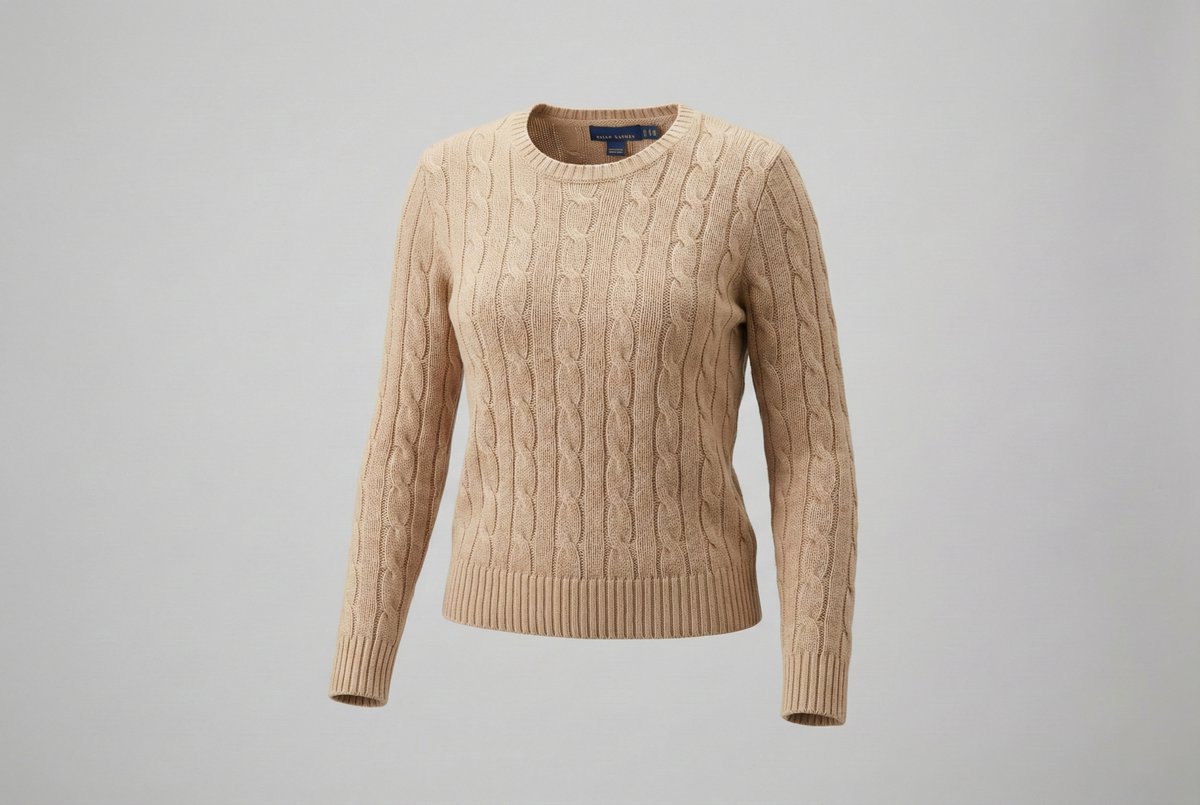
3D ghost or flat lay
The same photo becomes a garment worn by an invisible body, with its neckline and openings showing the inside, or a flat lay shot straight from above.
Get Started FreeBack and inside photos
A back photo is used for the back view and to get the whole garment right. A photo of the inside, the reverse of the fabric or the lining, is what the inside looks like wherever it shows. Without them, both are worked out from the front.
Try It Now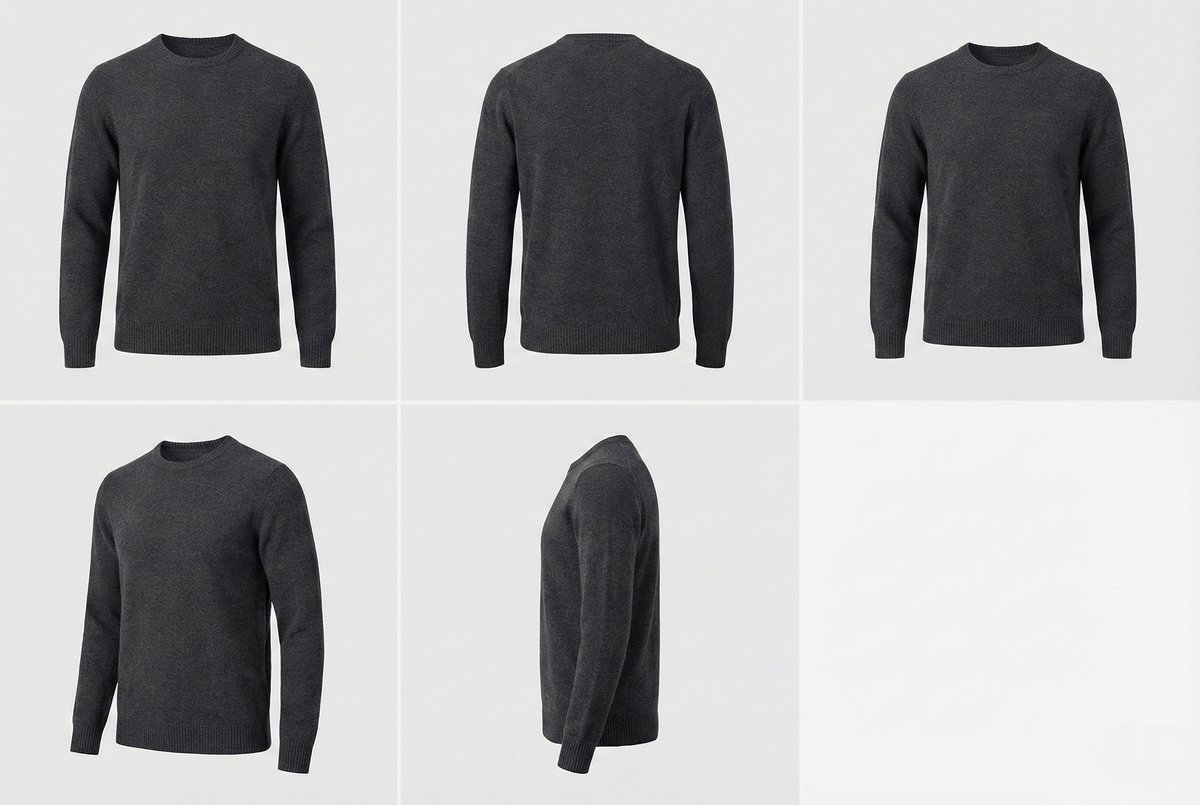

The shape it should keep
Pick a ready-made cut (brief, trunk, boxer brief, long boxer, regular, slim or oversized tee) or add a photo of a garment in the cut you want. A drawing works too. The print and colours stay yours.
Explore FeaturesMore for clothing sellers
Related pages for ghost mannequin by garment, and prices.
Use Cases
Who uses the AI ghost mannequin AI Ghost Mannequin?
Ghost mannequin photos without a photographer or retoucher.
Clothing stores
Product pages where every garment is shot the same way, with the same angle, background colour and ratio, from photos taken on a hanger or a table.

Underwear and swimwear brands
Briefs, trunks and boxers keep the cut you pick: choose a ready-made shape, or add a photo of your own cut.

Printed garments
Sublimated and all-over prints are often white on the reverse. Add a photo of the inside and the inside shows as it really is, not as a copy of the print.

Marketplace listings
Choose a white or light background colour and a square or portrait ratio for marketplace listings, and keep the same setup for every product.

Catalog and wholesale teams
Send several garments at once, up to your plan's limit, and save the setup as a preset to reuse for the next collection.

Developers and platforms
Ghost mannequin is also part of the Photta API, paid in the same credits as the app.

AI ghost mannequin questions FAQ
Common questions about AI-powered mannequin removal
Still have questions?
Contact SupportTry out related tools
Use Photta's wide range of powerful AI tools to generate, edit, and enhance your virtual try on clothes images and product photos.
AI Generation Tools
Virtual Try-On Solutions
Image Enhancement Tools
Background Editing Tools
Ready to Transform Your Fashion Business?
Join thousands of brands using Photta's AI tools