
Trendyol Image Size
and Photo Rules
Trendyol's integration guide asks for product images of 1200 × 1800 pixels at 96 dpi; its seller help pages accept 860 × 574 to 2000 × 2000 pixels, up to 10 MB. 1200 × 1800 pixels fits both. The background should be plain white or a light colour. Upload a photo of your product and Photta shoots it on a pure white backdrop.

Trendyol's product image rules, with their sources
What Trendyol asks of product images, and the Trendyol page each rule comes from.
| Rule | What Trendyol says |
|---|---|
| Size, integration guide | Product images must be 1200 × 1800 pixels at 96 dpi.Source: Trendyol Developers: Ürün Yaratma v2 |
| Size, seller help | At least 860 × 574 and at most 2000 × 2000 pixels. The same help page's error guide gives 20 × 20 pixels as the lower limit.Source: Trendyol: Ürün Görseli Seçimi ve Yükleme, Trendyol: Zorunlu Alanlar ve Formatları |
| File | JPEG, JPG or PNG; one of the two help pages also lists WEBP. At most 10 MB, and at least 1 KB.Source: Trendyol: Ürün Görseli Seçimi ve Yükleme, Trendyol: Zorunlu Alanlar ve Formatları |
| Number of images | At most 8 per barcode. At least 3 are recommended.Source: Trendyol Developers: Ürün Yaratma v2, Trendyol: Zorunlu Alanlar ve Formatları |
| Background | Plain white or a light colour.Source: Trendyol: Ürün Görseli Seçimi ve Yükleme, Trendyol: Zorunlu Alanlar ve Formatları |
| Main image | The whole product, sharp and well lit, filling most of the image, shown straight on and plainly. Only the variant you sell (colour, model, size), not its other colours or models.Source: Trendyol: Ürün Görseli Seçimi ve Yükleme |
| Other images | Other angles, sizes, package contents and the product in use go in the additional images.Source: Trendyol: Ürün Görseli Seçimi ve Yükleme |
| Not accepted | Low-resolution, blurry, dark or cropped images; a lot of text; logos or watermarks unrelated to the product; shipping, return, campaign, price, discount or gift information; links to other sites or seller details; images over-edited in Photoshop or that look artificial.Source: Trendyol: Ürün Görseli Seçimi ve Yükleme |
| Image links (Excel, API) | Must start with https:// and lead straight to the image file. Google Drive, Dropbox and similar share links are not accepted.Source: Trendyol: Ürün Görseli Seçimi ve Yükleme |
| Review | Up to 72 hours. Images go live only after they pass quality and suitability checks.Source: Trendyol: Ürün Görseli Seçimi ve Yükleme |
Sources
- Trendyol Satıcı Bilgi Merkezi: Ürün Görseli Seçimi ve Yükleme (choosing and uploading product images)
- Trendyol Satıcı Bilgi Merkezi: Ürün Yükleme Sırasında Zorunlu Alanlar ve Formatları (required fields and formats when uploading products)
- Trendyol Developers, integration documentation: Ürün Yaratma v2 (creating products); Ürün Aktarma V1 says the same
Checked on Trendyol's own pages on 31 October 2026.
How to make Trendyol product photos with AI

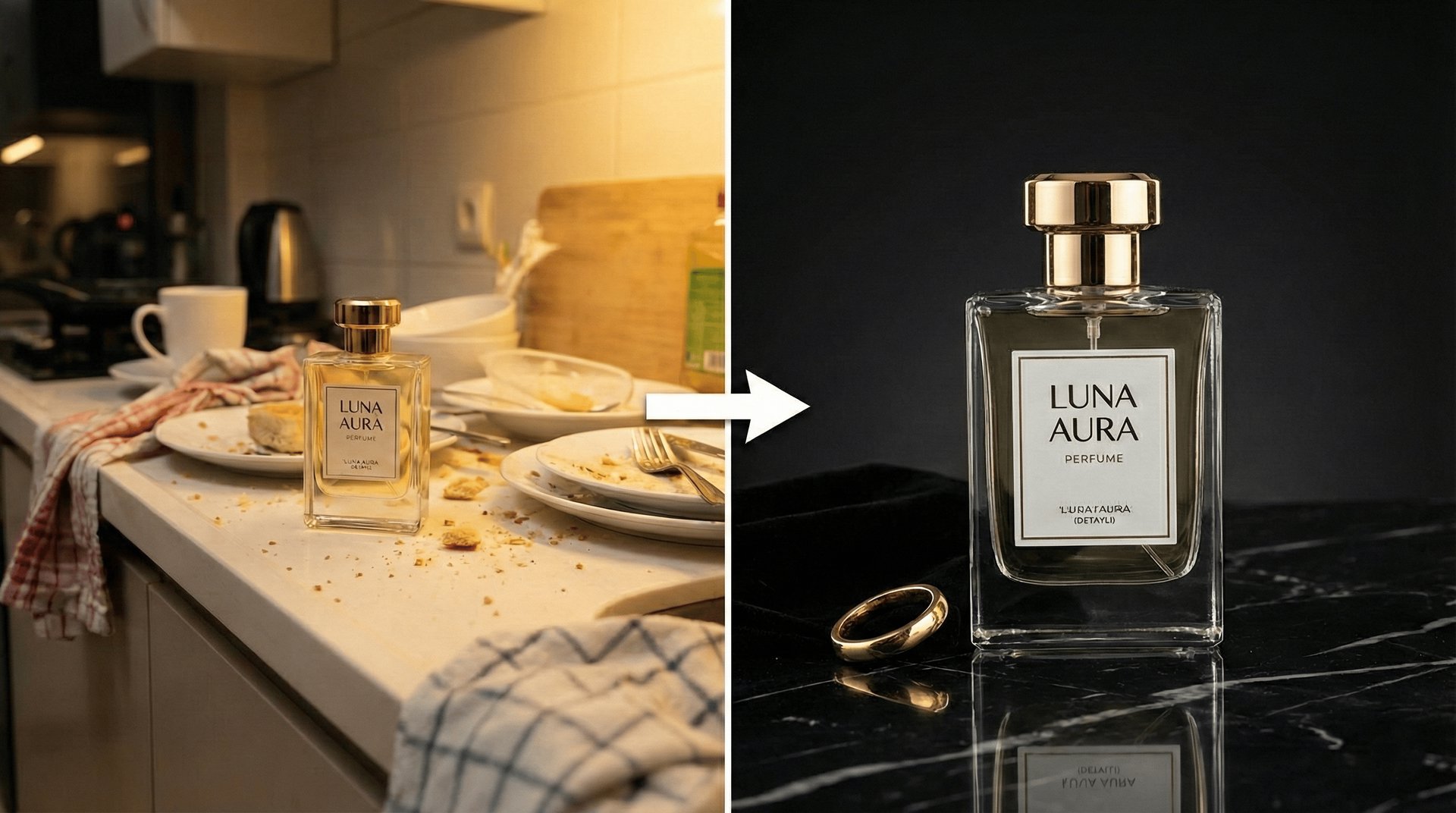
Upload your product
Add up to four photos of the same product, from different angles if you have them. A phone photo on a table is enough.

Choose pure white and a portrait shape
Pick the Pure White backdrop and a portrait shape, then soft, dramatic, natural or rim light. The studio shot adds no text or logos of its own.

Generate, resize, upload
Make one to four photos at a time, 4 credits each at 2K or 5 at 4K. Before you upload, bring the photo to 1200 × 1800 pixels, or to a size between 860 × 574 and 2000 × 2000 pixels, in an image editor.
Watch it in action
And what to check before you upload it.
What Photta does for a Trendyol photo
Explore all virtual try-on toolsA pure white backdrop
Choose Pure White and the product is shot on a seamless white background, lit evenly, which is what Trendyol asks for: plain white or a light colour.
Get Started FreeYour product, as it is
Your photos are the only description the AI gets, so the shape, colours and label come from what you upload. Trendyol turns down images that look artificial or show a different variant, so check each photo against the product.
Try It NowNo text or logos added
The studio shot adds no captions, prices, campaign badges or logos, none of which Trendyol accepts on a product image.
Explore Features
More for Trendyol sellers
Other photos from the same upload, and what they cost.
Use Cases
Trendyol photos from one product photo
For the main image and the additional images.
Main image
The whole product on pure white, straight on and plain, as Trendyol asks of the first image.
One photo per variant
Each colour or model gets its own photos on the same backdrop and light, since a main image shows only the variant you sell.
In use
The product in a living room, kitchen, office or outdoor scene, for the additional images where Trendyol wants it shown in use.
Size in the hand
The product held in a hand, so buyers see how big it is, for an additional image.
One look for the whole store
The same backdrop, light and shape for every product you list on Trendyol.
Your next shoot starts here.
Upload your product. Start creating photos, videos and ads that feel like your brand.
- 20 free credits
- No credit card required
- Cancel anytime


