
AI Face
Swap
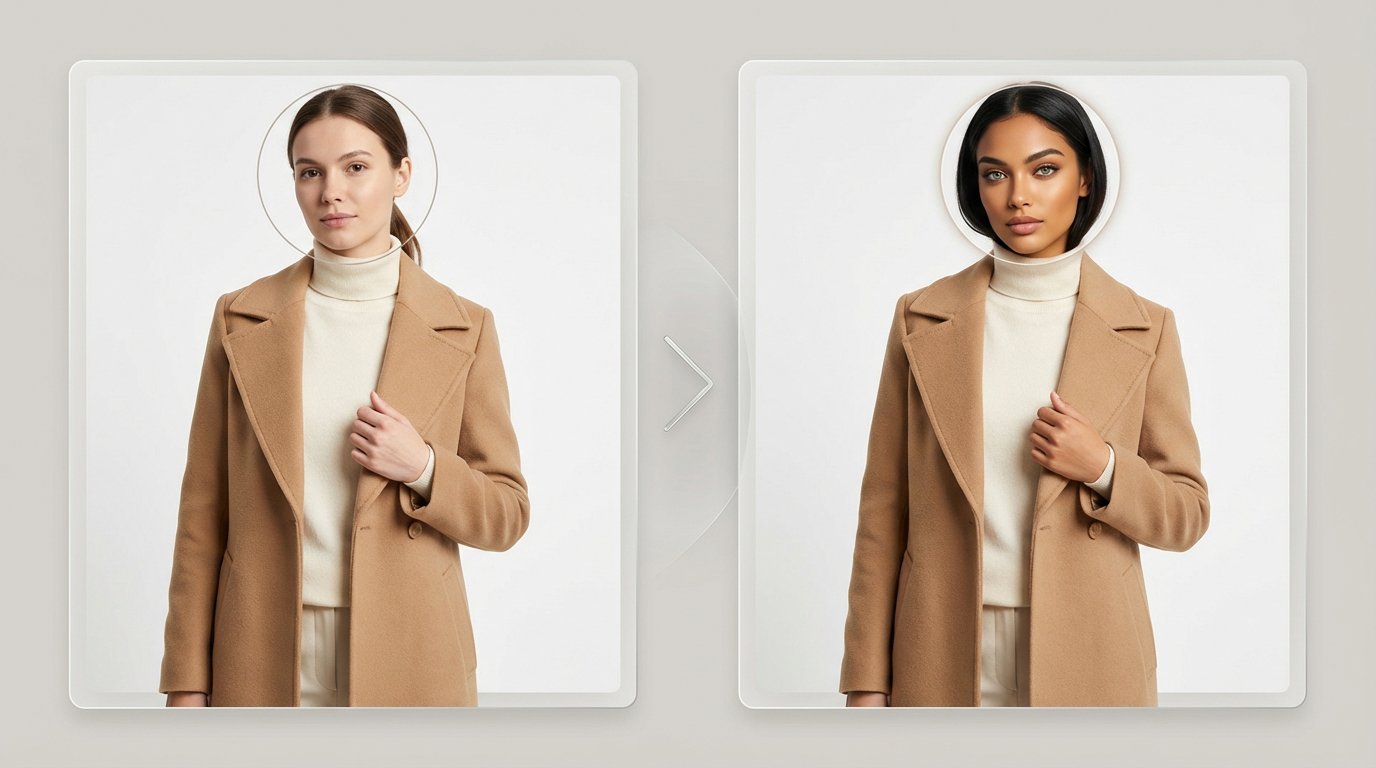
Upload a photo of a person wearing your product and choose one of our models to take their place. The clothes, the pose, the light and the background stay as they are. Half of all swaps are ready within about half a minute.
 Continue with a sample product
Use a sharp, evenly lit photo with one person in it and the face clearly visible. The swap keeps the light, the pose and the background of your photo, so a good photo gives a better result.
 Continue with a sample product
Use a sharp, evenly lit photo with one person in it and the face clearly visible. The swap keeps the light, the pose and the background of your photo, so a good photo gives a better result.
Put one of our models into your photo
How to Use AI Face Swap

Upload Your Photo
Upload one photo of a person, sharp and evenly lit, with the face clearly visible. You confirm that you may use it and that the person in it has agreed.

Choose a Model
Pick one of our adult models, or one of your own. This model takes the place of the person in your photo. You can filter our models by gender and ethnicity.

Get Your Result
The clothes, the pose, the light and the background stay as they were. Check the garment, the hands and the hairline, then download the photo.
Made for product photos: the person changes, everything else in your photo stays
Why Choose AI Face Swap
Explore all virtual try-on tools
Your Photo Stays
The clothes, the pose, the camera angle, the light and the background of your photo stay. Only the person is replaced, by the model you choose.
Get Started Free
Models to Choose From
Choose from our adult models and filter them by gender and ethnicity, or use a model of your own, made in Model Maker or uploaded.
Try It Now
Matched to Your Photo
The model is drawn at your photo's angle and in its light, with skin tone, hair and edges blended in. Check the garment in every result, because the whole person is redrawn.
Explore Features
Use Cases
Who Uses AI Face Swap
How sellers and brands use face swap with photos they already have

E-Commerce Product Listings
Show a professional model in product photos you took yourself, wearing your clothes, without a new shoot.

Social Media Content
Turn photos of you or a friend wearing your products into posts with a professional model, in the same setting and light.

Marketing Campaigns
Show different models in the same photo for different markets and audiences, with the product and the scene unchanged.

Fashion Brand Lookbooks
Keep one model across a lookbook shot on different days by putting the same model into each photo.

Reusing Photos You Have
Give photos you already have a new model instead of reshooting them, as long as you have the right to use the photos.

Testing Models
Try a few models on the same photo to see which one suits a product before you plan a shoot.
Frequently Asked Questions
Everything you need to know about AI Face Swap
Still have questions?
Contact SupportYour next shoot starts here.
Upload your product. Start creating photos, videos and ads that feel like your brand.
- 20 free credits
- No credit card required
- Cancel anytime


