
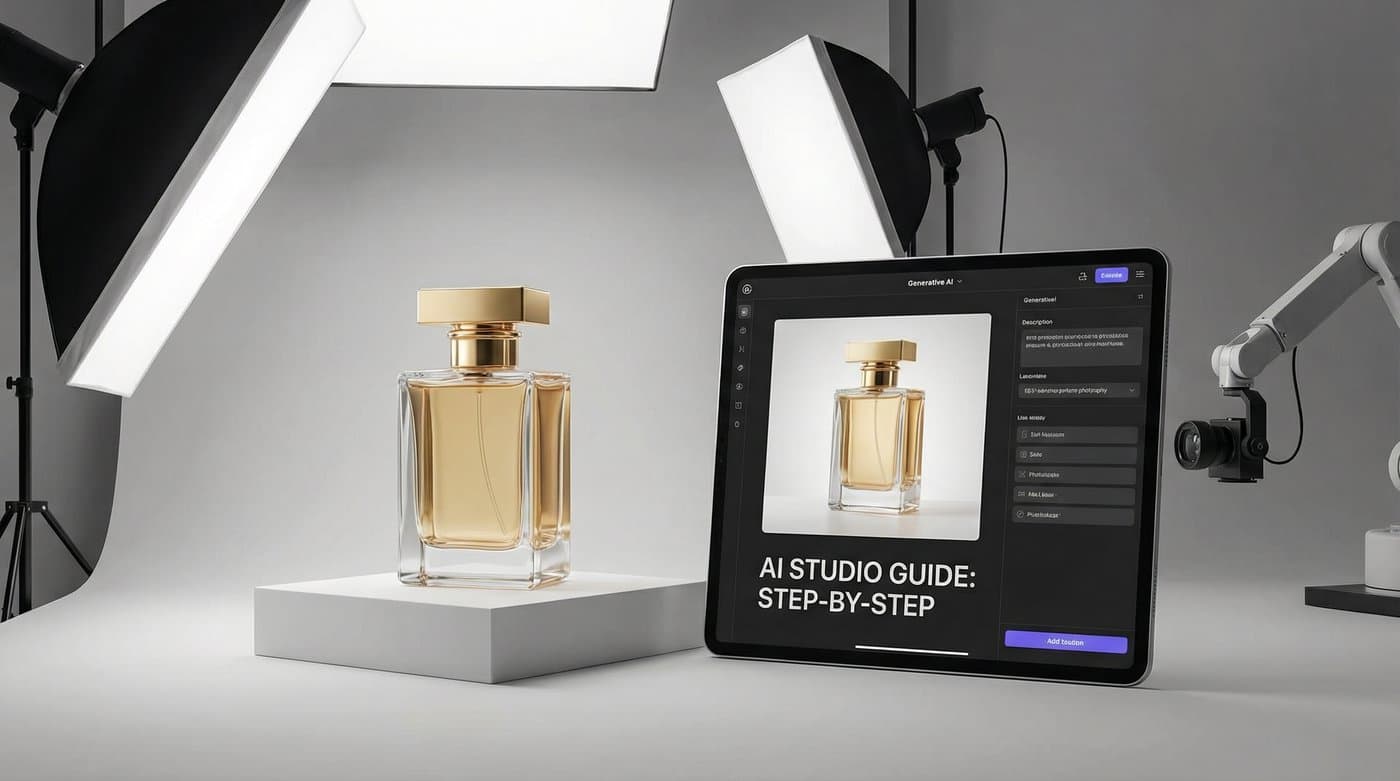
Une photo de produit haut de gamme n'est pas le fruit d'un rendu généré au hasard. C'est une méthode rigoureuse : une prise de vue fidèle du produit, une intention d'usage bien définie pour l'image, une scène conçue selon cette intention, un rendu contrôlé par rapport à la photo d'origine et un export calibré pour chaque canal. Si vous sautez une étape, l'image aura l'air générée artificiellement. Si vous respectez cette séquence, le rendu sera parfaitement authentique — tout simplement parce que l'élément central, votre produit, l'est réellement.
Ce guide détaille cette méthode, étape par étape, pour structurer votre flux de production studio. Vous n'y trouverez pas d'estimation approximative du coût d'un shooting ou des économies offertes par l'IA : pour comparer les tarifs des studios, des freelances et des outils, consultez notre article sur les tarifs de la photographie de produit. Ce guide se concentre sur la création de l'image et sur le contrôle qualité indispensable avant toute mise en ligne.
Comment créer des photos de produit haut de gamme avec l'IA, étape par étape ?
Photographiez le produit une seule fois pour obtenir une image de référence (« master ») : fond uni, lumière diffuse, charte de couleurs dans le cadre, sous tous les angles utiles et en pleine résolution. Déterminez la fonction de chaque visuel — visuel principal pour marketplace, détail pour galerie, mise en situation ou photo à l'échelle — car cela dicte le workflow. Décrivez la scène comme pour un brief photo : texture du support, direction et diffusion de la lumière, un ou deux accessoires, et une image de référence pour le style de votre marque. Générez quelques variantes, puis inspectez chacune par rapport au master en taille réelle : contours, fidélité des couleurs, netteté des détails et ombre de contact cohérente avec l'éclairage. Si un élément cloche, relancez la génération au lieu de retoucher le produit, puis exportez l'image validée aux formats requis.
Qu'est-ce que la photographie produit studio par IA ?
Il s'agit de concevoir des visuels produits finalisés à partir d'une photo réelle, en générant tout ce qui l'entoure (arrière-plan, texture du support, éclairage, ombres, accessoires, main humaine, décor), tout en conservant les pixels originaux du produit tels qu'ils ont été capturés. La différence avec un shooting classique ? Vous ne photographiez le produit qu'une seule fois, et chaque déclinaison découle de ce master. La différence avec la génération d'images classique ? Le produit n'est jamais réinventé ou redessiné à partir d'un prompt : il est simplement intégré dans le décor. Deux facteurs déterminent la qualité finale : la rigueur du master et le contrôle de conformité.
Étape 1 : Réussir la prise de vue du master
- Un fond uni et contrasté. Blanc ou gris clair pour la plupart des articles ; gris moyen pour les objets blancs. Le détourage automatique n'est net que si l'arrière-plan se détache parfaitement du produit.
- Une lumière douce et homogène, sans ombres dures. Une simple fenêtre par temps couvert convient très bien. Une ombre projetée sur le produit se répercutera sur chaque décor, et un reflet de flash trop marqué sur un flacon sonnera faux dans une ambiance matinale tamisée.
- Une référence colorimétrique dans le cadre. Une charte de gris ou une mire blanche. C'est le seul moyen de vérifier si une teinte chaude provient de l'ambiance lumineuse ou d'une dérive colorimétrique du produit.
- L'angle de prise de vue définitif. Photographiez le produit à la hauteur et sous l'angle souhaités pour le rendu final : un master pris en plongée ne pourra jamais être transformé en packshot de face.
- Tous les angles nécessaires à votre catalogue. Face, trois-quarts, dos, dessus : tout angle manquant devra être inventé par l'IA, ce qui nuit à l'authenticité.
- La pleine résolution. Importez le fichier à la taille native de votre appareil — jusqu'à 10 MB sur Photta, qui convertit automatiquement les formats HEIC et WebP à l'import.
Une photo prise au smartphone respectant ces six critères fera un excellent master. À l'inverse, un cliché professionnel mal cadré (fond encombré, ombres trop dures) constituera une bien moins bonne base de travail.

Étape 2 : Définir la fonction de chaque visuel
À chaque emplacement son workflow dédié :
- Visuel principal marketplace — le produit isolé sur fond blanc pur, occupant tout le cadre, avec une légère ombre portée : le workflow packshot produit studio. La majorité des plateformes imposent un fond neutre pour l'image principale ; retrouvez les normes détaillées dans notre guide sur les exigences d'images produits par marketplace.
- Mise en situation (lifestyle) — le produit dans un environnement suggérant son usage : le workflow photo produit lifestyle, idéal pour enrichir vos galeries, vos publicités et vos réseaux sociaux.
- Échelle — le produit tenu en main pour apprécier ses dimensions : le workflow produit en main.
- Composition à plat — le produit entouré de ses accessoires ou ingrédients, vu du dessus : le workflow flat lay, parfait pour les coffrets, les bundles et Instagram.
- Mise en valeur sur socle — podium, dalle de travertin, fond sombre avec faisceau de lumière ciblé : un parti pris studio haut de gamme pour les produits d'exception.
Adaptez votre choix à l'emplacement, pas seulement à vos préférences visuelles. Un décor trop chargé en photo principale sur une marketplace entraînera le refus de votre fiche ; à l'inverse, un packshot sur fond blanc perdu dans un fil social passera totalement inaperçu.
Étape 3 : Rédiger le prompt comme un brief créatif
Le brief d'un photographe s'articule autour de cinq éléments. Une consigne de génération d'image doit suivre exactement la même structure :
- Positionnement du sujet. Emplacement et orientation du produit : centré, droit, vue de trois-quarts face à l'objectif.
- Support et environnement. Surface de pose et décor : pierre calcaire claire dans une salle de bain, bois brut dans une cuisine, ardoise sombre sur une étagère.
- Éclairage. Orientation, diffusion et température : lumière naturelle diffuse venant de la gauche, faisceau chaud plongeant, lumière du jour éclatante.
- Accessoires et ambiance. Un ou deux éléments contextuels suggérant l'utilisation — un linge plié, une branche végétale, une tasse — sans aucun texte visible, logo parasite, produit concurrent ou allégation marketing.
- Référence visuelle. Une image illustrant l'univers de votre marque, permettant d'harmoniser la palette de couleurs et la lumière sans descriptions superflues.
Soyez concis et précis. Un prompt qui mélange une saison, une émotion abstraite, une ville et une heure de la journée donnera une composition confuse et déséquilibrée.
Étape 4 : Générer les scènes et contrôler la conformité
- Générez plusieurs variantes de la scène. Votre choix initial est purement créatif ; le contrôle qui suit doit être d'une rigueur absolue.
- Comparez chaque image au master en taille réelle. Vérifiez le produit au pixel près : contours nets, texture et étiquette préservées, couleurs conformes sous l'éclairage de la scène, aucune altération sur les bordures.
- Validez la cohérence physique de la scène. Une ombre de contact naturelle au point de contact avec le support, cohérente avec la source lumineuse ; des proportions réalistes ; des reflets uniquement là où la scène le justifie.
- Régénérez les visuels non conformes à partir du master. Une étiquette floutée, un contour altéré, une ombre incohérente : affinez votre brief et relancez la génération. Ne retouchez jamais le produit à la main : modifier une étiquette crée un décalage avec le produit physique que recevra votre client.
- Archivez vos sources. Conservez pour chaque visuel publié le master associé, le workflow utilisé et la date de création.
Étape 5 : Exporter selon les canaux de diffusion
L'image validée sert de base unique pour tous vos formats : le carré marketplace, le format vertical pour la publicité, la bannière e-mailing ou le visuel d'accroche de votre page produit. Recadrez toujours à partir de ce fichier validé plutôt que de relancer une génération pour chaque format — chaque nouveau rendu exigerait un nouveau contrôle complet. Si une plateforme nécessite une résolution supérieure, appliquez un agrandissement haute résolution (upscale) sur l'image validée au lieu de régénérer une image plus grande.
Master, brief, contrôle
Cette méthodologie en trois temps structure l'ensemble de notre approche studio :
- Le Master — la prise de vue source : fond uni, lumière douce, mire de couleur, tous les angles, pleine résolution.
- Le Brief — l'usage défini, une scène construite selon les 5 piliers, une image de référence pour le style de marque.
- Le Contrôle — chaque rendu confronté au master en taille réelle, régénération des rejets, traçabilité des fichiers et recadrages déclinés à partir de la version finale validée.
Grille de validation pour photos studio
| Étape | Conforme | Non conforme — à refaire |
|---|---|---|
| Fond du master | Uni et contrasté ; découpe nette du produit | Fond de la même couleur que le produit ; décor encombré |
| Éclairage du master | Doux et homogène ; aucune ombre portée ni reflet agressif | Ombre marquée sur le packaging ; zone surexposée |
| Référence couleur | Charte de gris ou mire présente dans le cadre | Absente ; impossible de distinguer une dérive couleur d'un reflet |
| Angles de vue | Tous les angles du catalogue photographiés | Vue arrière ou supérieure absente devant être inventée |
| Choix du workflow | Workflow adapté à l'usage : fond uni pour l'image principale, décor pour la galerie | Scène de vie sur un emplacement imposant un fond blanc pur |
| Brief | Positionnement, surface, éclairage, 1 à 2 accessoires, référence visuelle | Texte descriptif trop long et imprécis |
| Intégrité du produit | Contours, texture, texte et couleurs identiques au master | Rendu redessiné, lissé, recoloré ou réinterprété par l'IA |
| Ombre et échelle | Ombre de contact unique alignée sur la lumière ; taille réaliste | Absence d'ombre, ombres multiples, produit flottant ou mal proportionné |
| Accessoires | Cohérents avec l'usage ; sans typographie, logo, produit tiers ou promesse produit | Élément visuel assimilable à une fausse allégation |
| Export | Tous les ratios recadrés depuis l'image validée ; upscaling si besoin | Nouvelle génération par format de ratio |
La ligne « Intégrité du produit » ne tolère aucun compromis. Si le produit est altéré, l'image montre un article différent de la réalité, quelle que soit la beauté du décor.

Étude de cas : Un sérum, un après-midi
Une marque de cosmétiques photographie un flacon de sérum sur fond gris clair près d'une fenêtre, avec une charte de gris sur le côté, de face et de trois-quarts, en pleine résolution. Objectif : une photo principale pour marketplace, trois visuels pour la galerie produit, une création publicitaire. L'image principale est produite via le workflow studio — le flacon sur fond blanc, une légère ombre portée, occupant l'espace — puis validée par rapport au master : découpe, lisibilité de l'étiquette, respect des teintes. Pour la galerie : la vue trois-quarts sur fond blanc ; le flacon sur une dalle en pierre dans une salle de bain avec une lumière rasante et un linge en lin (workflow lifestyle) ; enfin, le flacon tenu entre deux doigts pour apprécier son format (workflow produit en main). Chaque visuel est scrupuleusement vérifié. La première proposition pour la scène minérale avait légèrement altéré le bleu de l'étiquette sous l'effet de l'ambiance chaude : elle a été immédiatement régénérée en réinjectant l'image de référence. La déclinaison publicitaire est obtenue par un simple recadrage vertical de la scène minérale. Résultat : cinq visuels parfaits, une seule prise de vue, un après-midi de travail et une traçabilité totale.
Foire aux questions
Faut-il du matériel photo professionnel pour démarrer avec la photo produit IA ?
Non. Il vous suffit d'un master respectant six règles simples : un fond uni contrasté, une lumière douce sans ombres marquées ni reflets agressifs, une référence colorimétrique dans le cadre, l'angle exact souhaité, tous les angles utiles au catalogue et une prise de vue en pleine résolution. Un smartphone moderne fait parfaitement l'affaire si ces critères sont réunis ; à l'inverse, un cliché d'appareil photo professionnel mal préparé sera inexploitable.
Comment garantir un rendu réaliste et éviter l'effet « image générée par IA » ?
En ne modifiant jamais le produit lui-même. Ses pixels doivent provenir directement du master d'origine sans être redessinés. L'IA ne génère que l'environnement à partir d'un brief précis (positionnement, surface, éclairage, accessoires, référence visuelle). Vous devez ensuite vérifier la cohérence de l'ombre portée, le respect de l'échelle et la conformité des couleurs. Une image paraît fausse dès lors que le produit a été réinterprété ou que les ombres contredisent la source de lumière.
Quel workflow privilégier pour les fiches produits sur marketplace ?
Utilisez le workflow packshot studio sur fond blanc pour votre visuel principal, car la plupart des marketplaces exigent un produit isolé sur fond neutre occupant la majorité du cadre. Réservez les mises en situation, les vues en main et les flat lays pour la galerie produit, vos campagnes publicitaires et vos réseaux sociaux. Consultez notre guide dédié pour connaître les règles spécifiques à chaque plateforme.
Combien de variantes faut-il générer ?
Quelques variantes par scène suffisent pour faire votre choix créatif. Passez ensuite au contrôle technique : examinez le produit en taille réelle par rapport au master. Choisissez uniquement parmi les visuels qui respectent parfaitement l'intégrité de votre produit.
Est-il possible de corriger un petit défaut sur le produit généré avec un logiciel de retouche ?
Évitez absolument de retoucher le produit. Corriger manuellement une étiquette ou un contour risque d'induire le client en erreur lors de la réception de sa commande. Il est bien plus efficace de préciser votre brief, d'ajouter l'image de référence et de régénérer la scène à partir du master. Réservez la retouche aux recadrages et à l'export final.
Ce que ce guide ne promet pas
Nous ne prétendons pas que la photo produit par IA coûte une fraction arbitraire d'un shooting traditionnel, ni que des visuels haut de gamme garantissent un taux de conversion précis : ces variables dépendent de chaque activité. Ce guide démontre simplement qu'un résultat impeccable repose sur la qualité du master et la rigueur du contrôle qualité, qu'un décor se construit à partir d'un brief structuré plutôt que d'un long texte imprécis, et qu'un produit dont l'apparence est altérée lors de la génération n'est plus une photo de produit conforme.
Pour appliquer cette méthode à vos propres produits, découvrez notre outil de packshot produit studio ; pour approfondir les techniques de contrôle qualité, lisez notre article sur la façon de changer l'arrière-plan d'un produit sans le modifier ; et pour intégrer cette méthode comme ligne de production secondaire en studio, consultez notre guide sur la photographie produit par IA pour les studios photo.